Capcut VS Premiere Pro: Choosing the Right Tool
Video editing has become an essential skill in today’s digital world, whether you’re a professional filmmaker or a social media enthusiast. With numerous video editing tools available, choosing the right one can be challenging. Two popular options are Capcut and Premiere Pro, each catering to different types of users. This article aims to provide a detailed comparison of Capcut and Premiere Pro, highlighting their features, pros, and cons, to help you determine which tool best suits your video editing needs.
Capcut
Capcut: The User-Friendly Mobile Editor
Capcut, developed by ByteDance, the creators of TikTok, is a powerful yet easy-to-use video editing app designed primarily for mobile devices. It’s perfect for social media creators and beginners looking for a straightforward way to edit videos on the go.
Key Features of Capcut
- User-Friendly Interface: Capcut’s interface is designed for simplicity, making it accessible even for those new to video editing. The layout is intuitive, with drag-and-drop functionality and clear icons.
- Mobile Optimization: As a mobile-first app, Capcut is optimized for use on smartphones and tablets. This makes it ideal for editing videos quickly and conveniently from anywhere.
- Templates and Effects: Capcut offers a wide range of templates and effects that allow users to enhance their videos with minimal effort. These include filters, transitions, text overlays, and stickers, making it easy to create professional-looking content.
- Speed and Ease of Use: One of Capcut’s standout features is its speed. The app is designed to perform smoothly on mobile devices, allowing users to edit and export videos quickly.
Pros and Cons of Capcut
| Pros | Cons |
|---|---|
| Free to use | Limited advanced features |
| Easy to learn and use | Not ideal for professional-grade editing |
| Optimized for mobile devices | Limited multi-track editing capabilities |
| Extensive library of templates and effects | Fewer customization options compared to desktop software |
| Fast performance on mobile | Lower resolution export options |
Premiere Pro
Premiere Pro: The Professional’s Choice
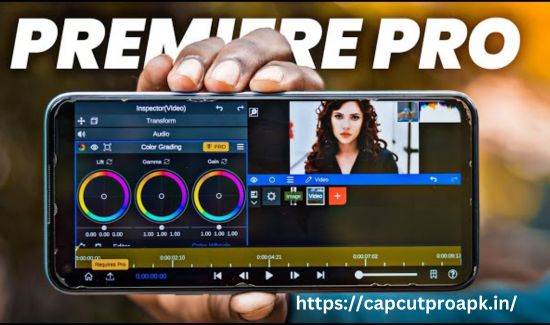
Premiere Pro, developed by Adobe, is one of the most powerful and widely used video editing software in the industry. It is favored by professional filmmakers, video editors, and content creators for its extensive features and capabilities.
Key Features of Premiere Pro
- Comprehensive Editing Tools: Premiere Pro offers a full suite of editing tools, including precise cutting, trimming, and advanced timeline features. Users can work with multiple video and audio tracks, making it suitable for complex projects.
- Integration with Adobe Creative Cloud: Premiere Pro seamlessly integrates with other Adobe Creative Cloud applications like After Effects, Photoshop, and Audition. This allows for a smooth workflow and enhances the editing process with additional tools and features.
- Advanced Color Correction and Effects: The software provides advanced color grading tools, such as Lumetri Color, allowing users to achieve professional-quality color correction. It also includes a wide range of effects and transitions to enhance video projects.
- Multi-Platform Support: Premiere Pro is available for both Windows and Mac platforms, providing flexibility for users to work on different operating systems. It also supports various file formats and codecs, ensuring compatibility with a wide range of media.
Pros and Cons of Premiere Pro
| Pros | Cons |
|---|---|
| Powerful and comprehensive features | Steeper learning curve |
| Professional-grade editing capabilities | Subscription-based pricing model |
| Seamless integration with Adobe Creative Cloud | Requires a high-performance computer |
| Advanced color grading and effects | Can be overwhelming for beginners |
| Multi-platform support | Higher cost compared to other editing tools |
Detailed Comparison
Ease of Use
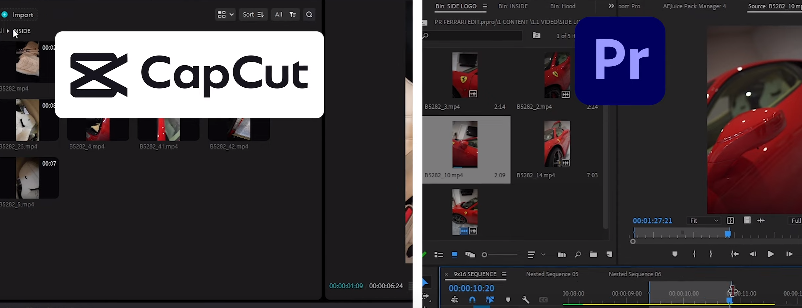
- Capcut: Known for its simplicity and user-friendly interface, Capcut is designed for quick edits on mobile devices. Its drag-and-drop functionality and clear icons make it accessible for beginners.
- Premiere Pro: Premiere Pro has a steeper learning curve due to its extensive features and capabilities. While it offers a comprehensive set of tools for professional editing, it can be overwhelming for new users.
Features and Capabilities
- Basic Editing: Both Capcut and Premiere Pro offer basic editing features such as trimming, cutting, and transitions. However, Capcut’s features are more limited in scope compared to Premiere Pro’s.
- Advanced Editing: Premiere Pro excels in advanced editing capabilities, including multi-cam editing, advanced color grading, and audio editing. Capcut, while capable of basic edits, lacks the depth required for complex projects.
- Effects and Templates: Capcut provides a wide range of templates and effects that are easy to apply, making it ideal for social media content. Premiere Pro offers more advanced effects and transitions, as well as extensive customization options.
Performance
- Capcut: Optimized for mobile devices, Capcut performs well on smartphones and tablets. It is designed for quick edits and fast export times.
- Premiere Pro: Requires a high-performance computer to run smoothly. Its extensive features and capabilities demand more processing power and memory, which can affect performance on lower-end devices.
Cost
- Capcut: Free to use, making it accessible for everyone. There are no subscription fees or hidden costs.
- Premiere Pro: Subscription-based pricing model. Users must pay a monthly or annual fee to access the software, which can be expensive for some.
User Support and Community
- Capcut: Provides basic user support through online tutorials and a growing community of users. However, support options are more limited compared to professional software.
- Premiere Pro: Offers extensive user support, including detailed tutorials, a large user community, and direct customer service from Adobe. This makes it easier for users to find help and resources.
Use Cases and Scenarios
Capcut
- Social Media Content Creation
- Ideal for creating quick, engaging videos for platforms like TikTok, Instagram, and YouTube.
- Features such as easy-to-use templates and effects make it simple to produce professional-looking content quickly.
- Quick Edits on the Go
- Perfect for users who need to edit videos on their mobile devices while traveling or away from their computers.
- Its mobile optimization ensures smooth performance and fast export times, making it convenient for quick edits.
- Beginners and Hobbyists
- Capcut’s user-friendly interface and straightforward features are ideal for those new to video editing.
- Hobbyists looking to create personal videos or simple projects will find Capcut accessible and efficient.
Premiere Pro
- Professional Filmmaking and Video Production
- Used by professional filmmakers and video editors for high-quality, complex projects.
- Advanced features such as multi-cam editing, advanced color grading, and detailed audio editing make it suitable for professional-grade productions.
- Complex Projects Requiring Advanced Features
- Premiere Pro is designed for handling intricate projects that require extensive editing capabilities.
- Its comprehensive toolset allows for detailed customization and precision in editing.
- Businesses and Professional Editors
- Ideal for businesses needing to produce professional marketing videos, promotional content, or training materials.
- Professional editors benefit from the integration with Adobe Creative Cloud, enabling a seamless workflow with other Adobe applications like After Effects and Photoshop.
Real User Reviews
Capcut User Experiences
- Social Media Influencers
- “Capcut is my go-to app for editing quick videos for Instagram and TikTok. It’s so easy to use, and the templates make my content look polished without much effort.” – Sarah, Instagram influencer.
- Beginners
- “As someone new to video editing, Capcut has been a lifesaver. It’s intuitive, and I was able to learn the basics quickly. Perfect for editing my travel vlogs!” – John, hobbyist videographer.
- Mobile Users
- “Editing videos on my phone has never been easier. Capcut’s interface is straightforward, and I love how fast it renders videos. Great for editing on the go!” – Emma, social media manager.
Premiere Pro User Experiences
- Professional Editors
- “Premiere Pro is my go-to tool for all my professional projects. The depth of features like multi-cam editing and advanced color grading is unmatched. It’s the industry standard for a reason.” – Michael, film editor.
- Filmmakers
- “Editing my feature film in Premiere Pro was a breeze. The integration with other Adobe apps and the flexibility it offers in terms of editing options and effects are invaluable for my workflow.” – Sophia, independent filmmaker.
- Business Users
- “Our marketing team relies on Premiere Pro for creating high-quality promotional videos. The ability to collaborate seamlessly and the range of editing tools available are crucial for our projects.” – Mark, marketing director.
Conclusion
Choosing between Capcut and Premiere Pro ultimately depends on your specific video editing needs and level of expertise.
- Capcut is an excellent choice for beginners, social media creators, and those who need to edit videos quickly on mobile devices. Its user-friendly interface, extensive library of templates, and fast performance make it ideal for simple editing tasks and creating content for platforms like TikTok and Instagram.
- Premiere Pro, on the other hand, is tailored for professional editors, filmmakers, and businesses that require advanced editing capabilities and high-quality results. With its comprehensive toolset, seamless integration with Adobe Creative Cloud, and support for complex projects, Premiere Pro is the industry standard for professional video editing.
Consider your editing goals, the complexity of your projects, and your familiarity with video editing software when making your decision. Both tools have their strengths and cater to different types of users, so choosing the right one will depend on what features and functionalities align best with your editing workflow and production needs.
FAQ
1. Which is better for beginners, Capcut or Premiere Pro?
- Capcut is better suited for beginners due to its user-friendly interface, simplicity, and availability on mobile devices. It’s ideal for those who are new to video editing and need basic editing capabilities without a steep learning curve.
- Premiere Pro, while powerful, has a steeper learning curve and is geared more towards professional editors and filmmakers. It offers extensive features and advanced editing tools that may overwhelm beginners initially.
2. Is Capcut free to use?
- Yes, Capcut is free to download and use. It provides basic editing tools and a range of templates and effects without any subscription fees. This makes it accessible for users looking to edit videos without investing in expensive software.
3. What are the advantages of using Premiere Pro over Capcut?
- Premiere Pro offers professional-grade editing capabilities, advanced features such as multi-cam editing, advanced color grading, and integration with Adobe Creative Cloud. It’s suitable for complex projects, professional filmmakers, and businesses needing high-quality video production.
4. Can Capcut handle complex video projects?
- Capcut is more limited compared to Premiere Pro in handling complex video projects. While it’s excellent for quick edits and social media content creation, its capabilities for advanced editing tasks like multi-track editing and extensive effects are more limited.
5. Which software is better for social media content creation?
- Capcut is specifically designed for social media content creation. It offers easy-to-use templates, quick editing tools, and optimization for mobile devices, making it ideal for creating content for platforms like TikTok, Instagram, and YouTube.
6. Does Premiere Pro require a powerful computer?
- Yes, Premiere Pro requires a higher-performance computer compared to Capcut due to its extensive features and processing requirements. It’s recommended to have a computer with sufficient RAM, processing power, and graphics capabilities for smooth operation.
7. How can I choose between Capcut and Premiere Pro?
- Consider your editing goals, the complexity of your projects, and your familiarity with video editing software. If you’re new to editing and need simplicity and speed, Capcut is a good choice. For professional-grade editing, advanced features, and flexibility, Premiere Pro is recommended.